Talk to Claude Code with your eyes shut
Get Shuteye on GitHubHow to start
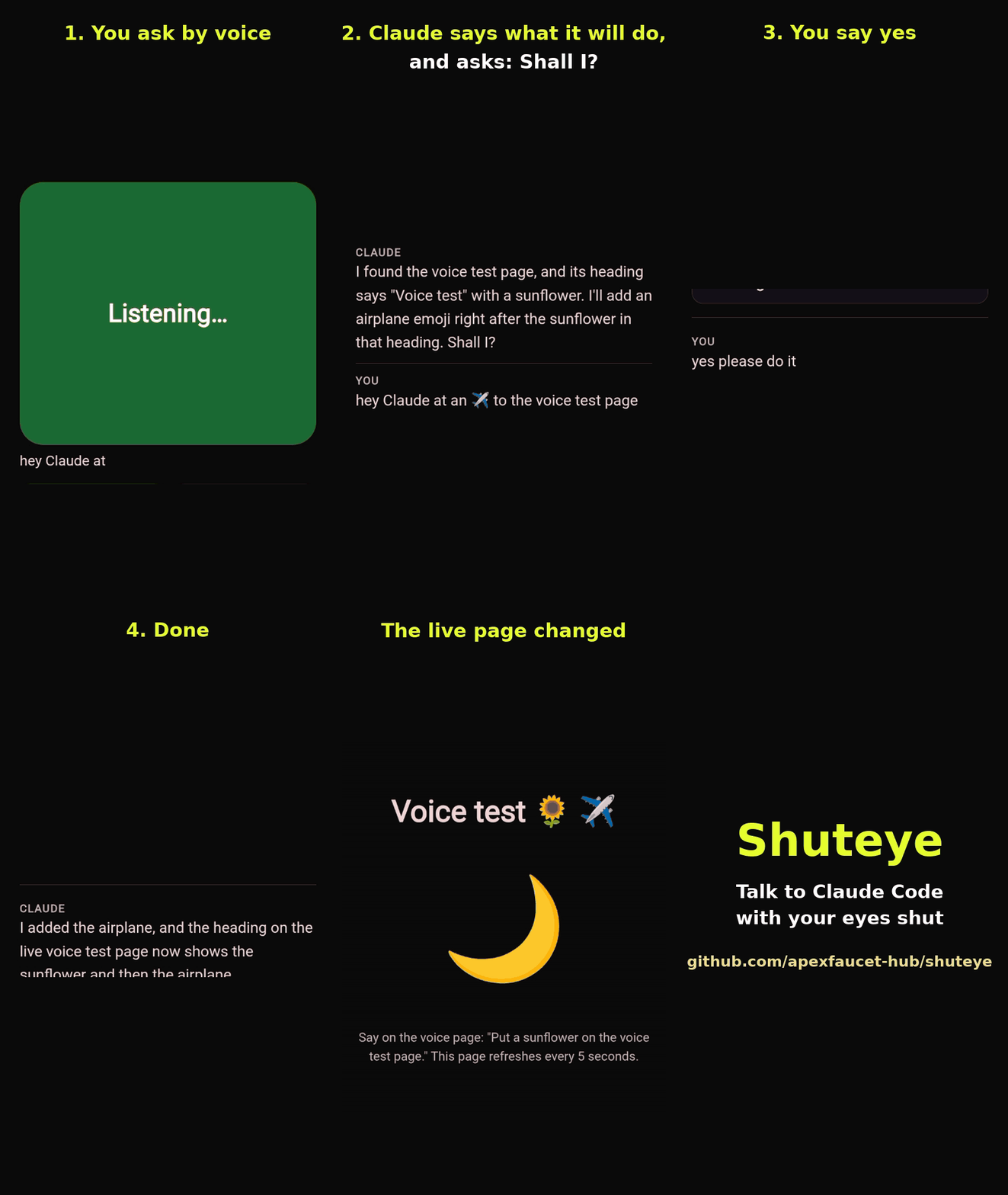
Shuteye is a small open-source bridge between your phone and Claude Code. Your phone's browser listens and reads the answers out loud; Claude Code runs on your own computer, with your own login. Lie back, close your eyes and keep working.
It was built by someone who read a screen 18 hours a day and needed his eyes back. Claude's chat app has a voice mode; Claude Code on a phone did not.
What it does
- Read-only by default. It can read your project and answer; nothing that runs commands is available.
- Full powers when you choose them. It says what it is about to change and waits for your "yes".
- Hands-free. After every answer it listens again. Model, effort and speaking speed are in the settings.
- Pair a phone with a one-time link. The key itself is never printed or put in a link.
- Zero dependencies. One Node file and one HTML page, MIT licence.
Start
You need Node 18 or newer, Claude Code installed and logged in, and Chrome on your phone. From your project folder:
npx github:apexfaucet-hub/shuteye --tunnel
It prints a one-time link with an https address. Open it once on your phone and talk. Details, options and the honest security notes are in the README.
Plant a tree
Star Shuteye on GitHub from an account that is at least 30 days old, and a tree with your GitHub name grows in Shuteye Park in Arc City.
Shuteye is free. If it rests your eyes, tips in USDC on Arc or Base go to the project: 0xd334AB5151C624cAdA654854E2879903Dc4217eD